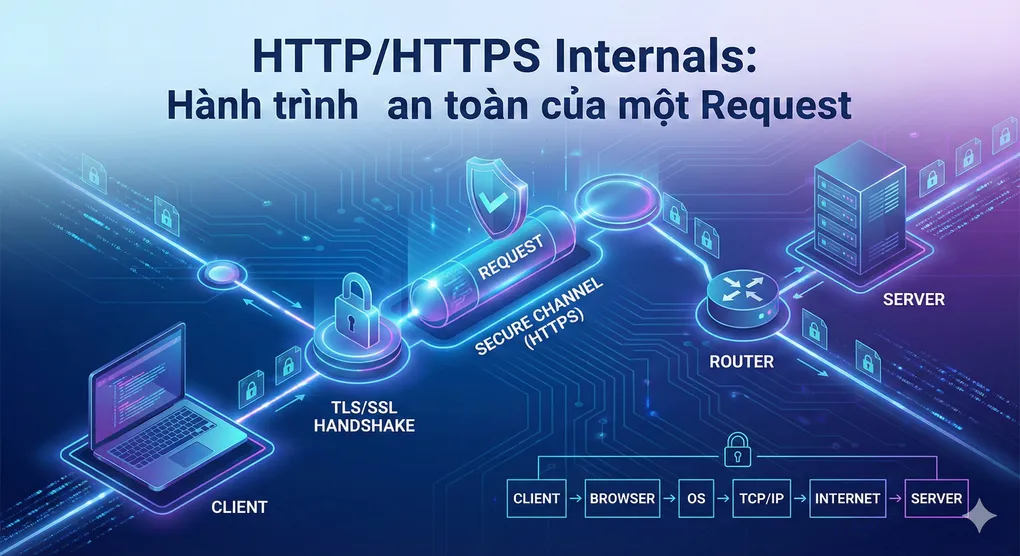
HTTP/HTTPS Internals: Hành trình an toàn của một Request
Lời mở đầu: Bí mật đằng sau ổ khóa xanh
Mỗi khi bạn truy cập https://google.com, một “vở kịch” phức tạp diễn ra trong chưa đầy 1 giây. Browser và server phải:
- Bắt tay (handshake) 4 lần
- Trao đổi certificates
- Thỏa thuận thuật toán mã hóa
- Tạo session keys
- Mới bắt đầu gửi data thực sự
Tất cả điều này để đảm bảo: Không ai nghe lén được cuộc trò chuyện của bạn.
Hôm nay, chúng ta sẽ “mổ xẻ” HTTPS từ góc độ kỹ sư mạng, hiểu tại sao nó “chậm” hơn HTTP, nhưng lại bắt buộc trong thời đại hiện đại.
1. HTTP: Giao thức nền tảng của Web
1.1. HTTP là gì?
HTTP (HyperText Transfer Protocol) là giao thức request-response giữa client và server. Nó hoạt động trên tầng Application của TCP/IP model, chạy trên port 80 mặc định.
Cấu trúc của một HTTP Request:
GET /api/users/123 HTTP/1.1
Host: example.com
User-Agent: Mozilla/5.0
Accept: application/json
Connection: keep-alive

[Request Body - nếu có]
Các phần chính:
-
Request Line: Method + Path + Protocol version
- Methods: GET, POST, PUT, DELETE, PATCH, HEAD, OPTIONS
- Path: Resource identifier
- Version: HTTP/1.0, HTTP/1.1, HTTP/2, HTTP/3
-
Headers: Metadata về request
Host: Domain name (bắt buộc trong HTTP/1.1)User-Agent: Client infoAccept: Content types client chấp nhậnCookie: Session dataAuthorization: Authentication credentials
-
Body: Data (POST/PUT/PATCH)
HTTP Response:
HTTP/1.1 200 OK
Content-Type: application/json
Content-Length: 145
Set-Cookie: session=abc123; HttpOnly

{
  "id": 123,
  "name": "John Doe"
}
Status Codes:
- 1xx: Informational (100 Continue)
- 2xx: Success (200 OK, 201 Created)
- 3xx: Redirection (301 Moved Permanently, 302 Found)
- 4xx: Client Error (400 Bad Request, 401 Unauthorized, 404 Not Found)
- 5xx: Server Error (500 Internal Server Error, 503 Service Unavailable)
1.2. Vấn đề chết người của HTTP
HTTP là plaintext protocol - tất cả data được gửi không mã hóa. Điều này có nghĩa là:
Bất kỳ ai trên cùng network (WiFi quán cafe, mạng công ty) có thể:
- Đọc: Thấy mọi thứ bạn gửi/nhận (passwords, credit cards, personal data)
- Sửa: Thay đổi content (inject malware, phishing)
- Giả mạo: Pretend to be server hoặc client
Ví dụ thực tế:
WiFi Cafe
    ↓
You → [HTTP Request: username=john, password=12345]
    ↓
Hacker sniffing → Copy credentials → Login as you!
    ↓
Server
Tools để sniff HTTP traffic:
- Wireshark
- tcpdump
- Charles Proxy
- Burp Suite
Chỉ cần vài click, hacker có thể thấy toàn bộ HTTP traffic của bạn.
2. HTTPS: Giải pháp với SSL/TLS
2.1. HTTPS = HTTP + SSL/TLS
HTTPS không phải là protocol riêng. Nó là HTTP được bọc trong SSL/TLS tunnel:
Plaintext HTTP
       ↓
[SSL/TLS Encryption] ← Wrap layer
       ↓
Encrypted HTTPS
Chạy trên port 443 mặc định (thay vì 80).
SSL vs TLS:
- SSL (Secure Sockets Layer): Phiên bản cũ (SSL 2.0, SSL 3.0) - Đã deprecated
- TLS (Transport Layer Security): Phiên bản hiện đại (TLS 1.2, TLS 1.3)
- Người ta vẫn gọi chung là “SSL/TLS” vì thói quen
3 mục tiêu chính của HTTPS:
- Confidentiality (Bảo mật): Mã hóa data → Không ai đọc được
- Integrity (Toàn vẹn): Data không bị sửa đổi giữa đường
- Authentication (Xác thực): Đảm bảo bạn đang nói chuyện với đúng server
3. SSL/TLS Handshake: Vở kịch 4 màn
3.1. Overview
TLS Handshake là quá trình client và server:
- Thỏa thuận protocol version
- Chọn cipher suite (thuật toán mã hóa)
- Xác thực identity (qua certificates)
- Tạo shared secret key để mã hóa
Tốn kém: Thường mất 1-2 RTT (Round-Trip Time) → Độ trễ tăng ~50-200ms so với HTTP.
3.2. Detailed Handshake Flow (TLS 1.2)
Step 1: Client Hello
Client gửi cho server:
- TLS version hỗ trợ (TLS 1.2, TLS 1.3)
- Cipher suites hỗ trợ (AES-128-GCM, ChaCha20-Poly1305, ...)
- Random bytes (Client Random) - 32 bytes
- Supported extensions (SNI, ALPN, ...)
Cipher Suite example: TLS_ECDHE_RSA_WITH_AES_128_GCM_SHA256
Giải mã:
TLS: ProtocolECDHE: Key exchange algorithm (Elliptic Curve Diffie-Hellman Ephemeral)RSA: Authentication algorithmAES_128_GCM: Encryption algorithm (128-bit AES in GCM mode)SHA256: Hashing algorithm
Step 2: Server Hello
Server trả lời:
- Chọn TLS version (ví dụ: TLS 1.2)
- Chọn cipher suite (ví dụ: TLS_ECDHE_RSA_WITH_AES_128_GCM_SHA256)
- Random bytes (Server Random) - 32 bytes
- Session ID (để resume connection sau)
Step 3: Server Certificate
Server gửi certificate chain:
Certificate Chain:
1. example.com certificate (leaf)
   - Issued by: Intermediate CA
   - Public Key: RSA 2048-bit
   - Valid: 2024-01-01 to 2025-01-01
   - Subject: example.com

2. Intermediate CA certificate
   - Issued by: Root CA

3. Root CA certificate (trust anchor)
   - Self-signed
   - Pre-installed trong browser/OS
Certificate chứa:
- Domain name (Subject)
- Public key của server
- Digital signature từ CA (Certificate Authority)
- Validity period
- Issuer info
Step 4: Server Key Exchange
Server gửi:
- Server’s public key (cho key exchange)
- Signature (ký bằng private key) để prove authenticity
Step 5: Server Hello Done
Server: “Tôi đã gửi xong, đến lượt bạn!”
Step 6: Client Key Exchange
Client:
- Verify certificate: Check signature, expiry, domain name
- Generate Pre-Master Secret (48 bytes random)
- Encrypt Pre-Master Secret với server’s public key
- Gửi cho server
Chỉ server mới decrypt được (vì chỉ server có private key).
Step 7: Derive Session Keys
Cả client và server đều có:
- Client Random (public)
- Server Random (public)
- Pre-Master Secret (chỉ 2 bên biết)
Dùng KDF (Key Derivation Function) để tạo:
Master Secret = PRF(
    Pre-Master Secret,
    "master secret",
    Client Random + Server Random
)

Session Keys = PRF(
    Master Secret,
    "key expansion",
    Client Random + Server Random
)
Session Keys bao gồm:
- Client Write Key (mã hóa data từ client)
- Server Write Key (mã hóa data từ server)
- Client MAC Key (integrity check)
- Server MAC Key (integrity check)
Step 8: Change Cipher Spec
Client: “Từ giờ tôi sẽ dùng session keys để mã hóa!”
Step 9: Finished (Client)
Client gửi encrypted message (dùng session keys) để prove:
- Tôi có session keys đúng
- Handshake không bị tamper
Step 10: Change Cipher Spec (Server)
Server: “OK, tôi cũng sẽ dùng session keys!”
Step 11: Finished (Server)
Server gửi encrypted message để confirm.
✅ Handshake xong! Giờ mới bắt đầu HTTP request thực sự.
3.3. Visualize Handshake
Client                                Server
  |                                      |
  |--- ClientHello -------------------->|  (1)
  |    (TLS versions, cipher suites)    |
  |                                      |
  |<-- ServerHello ----------------------|  (2)
  |    (chosen version, cipher)         |
  |                                      |
  |<-- Certificate ----------------------|  (3)
  |    (server cert + chain)            |
  |                                      |
  |<-- ServerKeyExchange ----------------|  (4)
  |    (public key for ECDHE)           |
  |                                      |
  |<-- ServerHelloDone ------------------|  (5)
  |                                      |
  |--- ClientKeyExchange -------------->|  (6)
  |    (encrypted pre-master secret)    |
  |                                      |
  |--- ChangeCipherSpec --------------->|  (7)
  |                                      |
  |--- Finished (encrypted) ----------->|  (8)
  |                                      |
  |<-- ChangeCipherSpec -----------------|  (9)
  |                                      |
  |<-- Finished (encrypted) -------------|  (10)
  |                                      |
  |=== Encrypted HTTP Traffic =========>|
  |                                      |
Total Round Trips: 2 RTT + HTTP request
- RTT 1: ClientHello → ServerHelloDone
- RTT 2: ClientKeyExchange → Finished
- RTT 3: Actual HTTP GET/POST request
4. TLS 1.3: Faster Handshake
TLS 1.3 cải thiện handshake xuống 1-RTT (thay vì 2-RTT):
Client                                Server
  |                                      |
  |--- ClientHello -------------------->|
  |    + KeyShare (guess cipher)        |
  |                                      |
  |<-- ServerHello, Certificate --------|
  |    + KeyShare, Finished             |
  |                                      |
  |--- Finished ----------------------->|
  |                                      |
  |=== Encrypted HTTP =================>|
0-RTT Mode (Resume):
Nếu client đã connect trước đó:
Client → [ClientHello + Encrypted HTTP Request (using PSK)]
Server → [Response]
Zero roundtrip! HTTP request gửi ngay trong ClientHello.
Trade-off: Hơi kém security (replay attacks possible), nhưng cực nhanh.
5. Symmetric vs Asymmetric Encryption
5.1. Asymmetric Encryption (Public/Private Key)
Dùng trong: Handshake phase
Cách hoạt động:
- Mỗi bên có key pair: Public key (công khai) + Private key (bí mật)
- Encrypt bằng public key → Chỉ decrypt được bằng private key
- Sign bằng private key → Verify bằng public key
Algorithms: RSA, ECDSA, EdDSA
Ưu điểm:
- Không cần trao đổi secret trước
- Authentication (prove identity)
Nhược điểm:
- Cực chậm (~1000x chậm hơn symmetric)
- Không practical cho bulk data
5.2. Symmetric Encryption (Session Keys)
Dùng trong: Data transfer phase
Cách hoạt động:
- Cả 2 bên dùng cùng key để encrypt/decrypt
- Nhanh hơn asymmetric rất nhiều
Algorithms: AES, ChaCha20
Vấn đề: Làm sao trao đổi key an toàn?
Giải pháp: Dùng asymmetric để trao đổi session key, sau đó dùng symmetric cho data!
Handshake: Asymmetric (slow but necessary)
     ↓
Derive Session Key
     ↓
Data Transfer: Symmetric (fast!)
6. Certificate Verification: Chain of Trust
6.1. Tại sao cần Certificates?
Khi server gửi public key, làm sao client biết đó thật sự là public key của example.com, không phải hacker?
Man-in-the-Middle Attack (MITM):
Client                    Hacker                Server
  |                         |                      |
  |--- Connect to server -->|                      |
  |                         |--- Connect --------->|
  |                         |                      |
  |<-- Hacker's Public Key -|                      |
  |                         |<-- Real Public Key --|
  |                         |                      |
Client nghĩ đang nói chuyện với server, nhưng thực ra là hacker!
6.2. Certificate Authority (CA)
CA là tổ chức đáng tin cậy (DigiCert, Let’s Encrypt, Comodo) ký vào certificate của server.
Process:
- Server tạo CSR (Certificate Signing Request) chứa public key
- Gửi CSR cho CA
- CA verify domain ownership (DNS challenge, HTTP challenge, email)
- CA ký vào certificate bằng CA’s private key
- Server nhận certificate đã ký
Certificate Structure:
Certificate:
  Version: 3
  Serial Number: 12:34:56:78:90:ab:cd:ef
  Signature Algorithm: sha256WithRSAEncryption
  Issuer: CN=Let's Encrypt Authority X3
  Validity:
    Not Before: 2024-01-01 00:00:00
    Not After:  2025-01-01 23:59:59
  Subject: CN=example.com
  Subject Public Key Info:
    Public Key Algorithm: rsaEncryption
    RSA Public Key: (2048 bit)
      Modulus: 00:ab:cd:ef:...
      Exponent: 65537
  X509v3 Extensions:
    X509v3 Subject Alternative Name:
      DNS:example.com, DNS:www.example.com
  Signature: [CA's signature]
6.3. Certificate Chain Verification
Root CA certificates được pre-installed trong OS/browser. Khi verify:
1. Check example.com cert signature
   → Verify bằng Intermediate CA's public key ✓

2. Check Intermediate CA cert signature
   → Verify bằng Root CA's public key ✓

3. Check Root CA cert
   → Self-signed, đã trust sẵn trong OS ✓

4. Check domain name match
   → example.com === CN or SAN ✓

5. Check expiry date
   → Current date trong valid range ✓

6. Check revocation status (OCSP/CRL)
   → Not revoked ✓

All checks pass → Certificate valid!
Nếu bất kỳ check nào fail:
Browser: ⚠️ "Your connection is not private"
         NET::ERR_CERT_AUTHORITY_INVALID
7. Java Implementation
7.1. Java’s SSL/TLS Stack
Java có built-in support cho SSL/TLS qua JSSE (Java Secure Socket Extension):
Key Classes:
SSLSocket: Socket với SSL/TLSSSLServerSocket: Server socket với SSL/TLSSSLContext: Manages SSL/TLS settingsKeyStore: Stores certificates và private keysTrustStore: Stores trusted CA certificates
Architecture:
Application Code
       ↓
HttpsURLConnection / HttpClient
       ↓
SSLSocket / SSLEngine
       ↓
JSSE (SSL/TLS Implementation)
       ↓
JCA/JCE (Crypto providers)
       ↓
Native Crypto Libraries
7.2. Simple HTTPS Request
URL url = new URL("https://api.example.com/data");
HttpsURLConnection conn = (HttpsURLConnection) url.openConnection();

// Set request properties
conn.setRequestMethod("GET");
conn.setRequestProperty("User-Agent", "MyApp/1.0");

// Java handles SSL/TLS handshake automatically!
int responseCode = conn.getResponseCode();

if (responseCode == 200) {
    BufferedReader in = new BufferedReader(
        new InputStreamReader(conn.getInputStream()));
    String line;
    while ((line = in.readLine()) != null) {
        System.out.println(line);
    }
}
Điều gì xảy ra bên dưới:
- DNS lookup cho
api.example.com - TCP connection tới port 443
- SSL/TLS handshake (tự động!)
- Verify server certificate
- Check trust chain
- Establish session keys
- HTTP request qua encrypted channel
- Receive encrypted response
- Decrypt và return data
7.3. Custom TrustStore
Đôi khi cần trust custom certificates (internal CA, self-signed):
// Load custom truststore
KeyStore trustStore = KeyStore.getInstance("JKS");
FileInputStream fis = new FileInputStream("mytruststore.jks");
trustStore.load(fis, "password".toCharArray());

// Initialize TrustManagerFactory
TrustManagerFactory tmf = TrustManagerFactory.getInstance(
    TrustManagerFactory.getDefaultAlgorithm());
tmf.init(trustStore);

// Create SSLContext
SSLContext sslContext = SSLContext.getInstance("TLS");
sslContext.init(null, tmf.getTrustManagers(), null);

// Set as default
SSLContext.setDefault(sslContext);
7.4. Certificate Hostname Verification
Java mặc định verify hostname matching:
// Disable hostname verification (DANGEROUS - only for testing!)
HttpsURLConnection.setDefaultHostnameVerifier(
    (hostname, session) -> true
);

// Better: Custom verifier với logic
HostnameVerifier verifier = (hostname, session) -> {
    // Check if hostname matches certificate
    // Implement custom logic
    return hostname.equals("expected-domain.com");
};
⚠️ Warning: Tắt verification = Vulnerable to MITM attacks!
8. Common Issues & Troubleshooting
8.1. SSLHandshakeException
Nguyên nhân:
- Certificate không trusted
- Certificate expired
- Hostname mismatch
- Protocol/cipher suite mismatch
Debug:
# Enable SSL debug logging
java -Djavax.net.debug=ssl:handshake MyApp
Output sẽ show toàn bộ handshake process.
8.2. Certificate Expiry
Caused by: sun.security.validator.ValidatorException:
PKIX path validation failed: validity check failed
Giải pháp: Renew certificate trước khi expire.
Best Practice: Monitor certificates với tools (CertSpotter, SSL Labs).
8.3. Cipher Suite Mismatch
Caused by: javax.net.ssl.SSLHandshakeException:
No appropriate protocol (protocol is disabled or cipher suites are inappropriate)
Nguyên nhân:
- Server chỉ hỗ trợ old ciphers (SSLv3, TLS 1.0)
- Java đã disable old protocols vì security
Giải pháp:
SSLContext ctx = SSLContext.getInstance("TLSv1.2");
// Or specify enabled protocols
SSLSocket socket = ...;
socket.setEnabledProtocols(new String[]{"TLSv1.2", "TLSv1.3"});
8.4. Java Truststore Issues
Java có default truststore tại $JAVA_HOME/lib/security/cacerts.
Add custom CA:
keytool -import \
  -alias myca \
  -file ca-cert.pem \
  -keystore $JAVA_HOME/lib/security/cacerts \
  -storepass changeit
Or runtime:
System.setProperty("javax.net.ssl.trustStore", "/path/to/truststore.jks");
System.setProperty("javax.net.ssl.trustStorePassword", "password");
9. Performance Considerations
9.1. Handshake Overhead
TLS 1.2: ~100-300ms latency (2-RTT)
TLS 1.3: ~50-150ms latency (1-RTT)
TLS 1.3 0-RTT: ~0ms (cho resumed connections)
Optimizations:
-
Session Resumption: Reuse session keys
First connection: Full handshake Subsequent: Resume với Session ID/Session Ticket → Chỉ 1-RTT thay vì 2-RTT -
Connection Pooling: Reuse TCP connections
// HttpClient tự động pool connections HttpClient client = HttpClient.newBuilder() .version(HttpClient.Version.HTTP_2) // Keep-alive .build(); -
HTTP/2: Multiplexing nhiều requests trên 1 connection
- Giảm số handshakes cần thiết
9.2. Certificate Validation Caching
Java cache certificate validation results:
- Successful validations cached
- Reduce PKI overhead cho subsequent requests
Tune cache:
-Djava.security.cert.validation.caching=true9.3. CPU Cost
Asymmetric crypto (RSA, ECDHE) rất CPU-intensive:
- RSA 2048-bit: ~500 operations/sec per core
- ECDHE P-256: ~10,000 operations/sec per core
Hardware acceleration:
- Use AES-NI (Intel CPU instruction)
- HSM (Hardware Security Module) cho high-traffic servers
10. Kết luận: Security vs Performance
Key Takeaways:
✅ HTTP = Plaintext - Không bao giờ dùng cho sensitive data
✅ HTTPS = HTTP + TLS - Mã hóa, authentication, integrity
✅ TLS Handshake - 2-RTT (TLS 1.2) hay 1-RTT (TLS 1.3)
✅ Certificates - Chain of Trust từ Root CA
✅ Asymmetric cho handshake - Slow but necessary
✅ Symmetric cho data - Fast bulk encryption
✅ Java JSSE - Built-in SSL/TLS support
✅ Performance - Session resumption, HTTP/2, connection pooling
Best Practices:
- Always use HTTPS - Even for “public” data (integrity matters)
- Keep certificates valid - Monitor expiry dates
- Use TLS 1.3 - Faster và more secure
- Enable session resumption - Reduce handshake overhead
- Monitor SSL/TLS errors - Debug với javax.net.debug
- Update Java regularly - Mới nhất có security fixes và crypto improvements
Trade-off hiểu đúng:
HTTPS “chậm” hơn HTTP ~100-300ms cho first request, nhưng:
- Security is non-negotiable
- Modern optimizations (TLS 1.3, 0-RTT, HTTP/2) giảm overhead dramatically
- CPU cost chia đều cho toàn bộ requests
The verdict: HTTPS không còn là “option”, nó là requirement. Google, browsers, SEO rankings đều ưu tiên HTTPS. Master nó để build secure applications! 🔒
Resources:
📚 High Performance Browser Networking - Ilya Grigorik
🔒 SSL Labs - Test your SSL/TLS
📖 RFC 8446 - TLS 1.3
🛠️ Java Secure Socket Extension (JSSE) Reference Guide
🎥 How HTTPS Works - Computerphile
Hiểu HTTPS không chỉ giúp bạn debug SSL errors, mà còn giúp bạn thiết kế secure architecture. Master nó để trở thành security-conscious engineer! 🚀
#HTTPS #SSL #TLS #Java #Networking #Security #WebSecurity